*Athletes are never deleted in our system - we simply retire athletes.
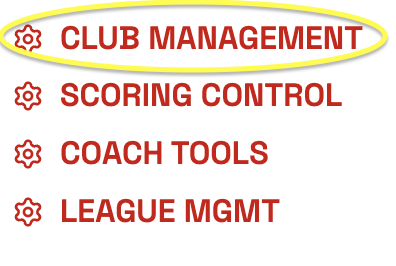
Step 1: From MY ACCOUNT - click CLUB MANAGEMENT
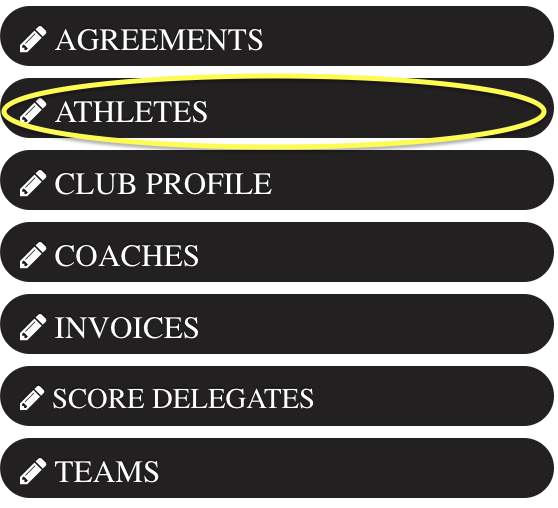
Step 2: On the left side Click ATHLETES
Step 3: Find the athletes you'd like to retire and click the checkbox on the very right side of the screen.
*If your screen is too small - the checkbox will not show up - please expand your screen.
If you are not able to expand your screen - click on the edit button, by the athlete picture, scroll down and retire.
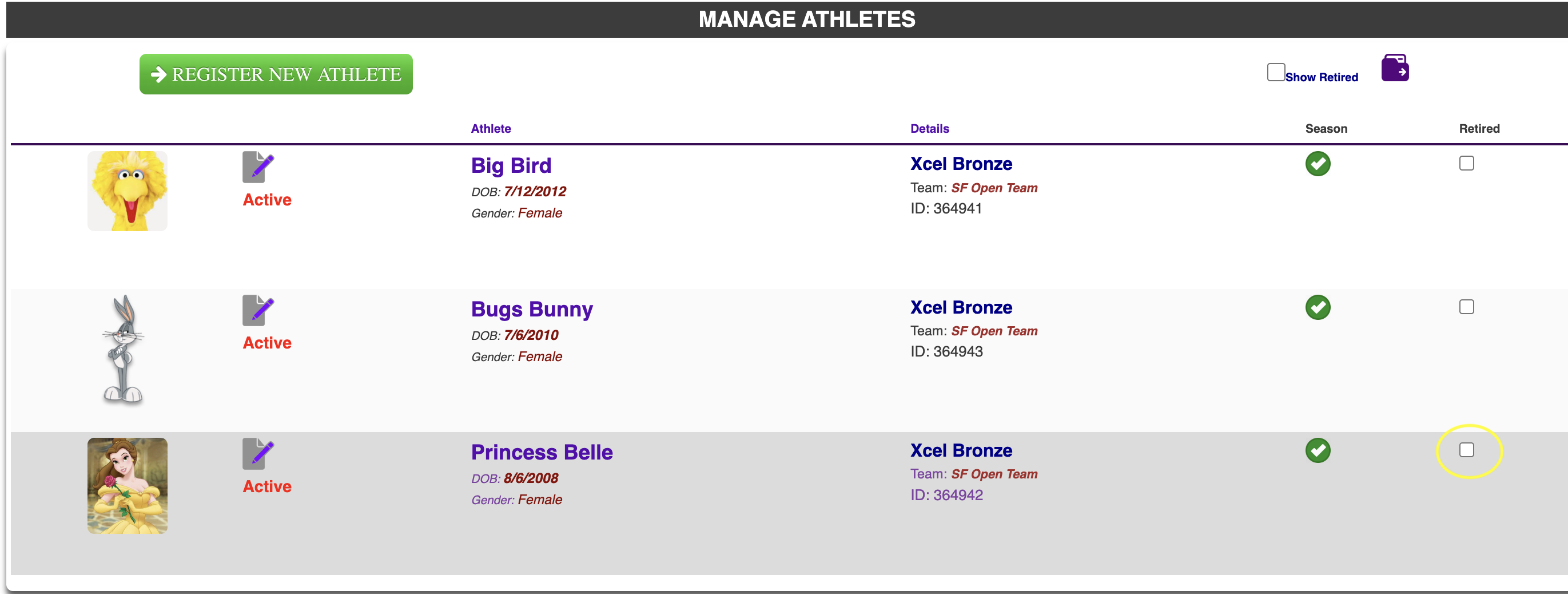
**If you retire an athlete on accident - Click the box "Show Retired" and you can uncheck their checkbox.
Was this article helpful?
That’s Great!
Thank you for your feedback
Sorry! We couldn't be helpful
Thank you for your feedback
Feedback sent
We appreciate your effort and will try to fix the article