Make sure you are logged in
Step 1: Click on SCORING

Step 2: Click MEET SCORING Control - click on the SCORING CONTROL for the meet you are looking to add the specialists to.


Step 3: Click the ATHLETES button at the top of your screen

Step 4: Click SPECIALISTS red button on the right side of the screen - make sure you have added your athletes to the meet

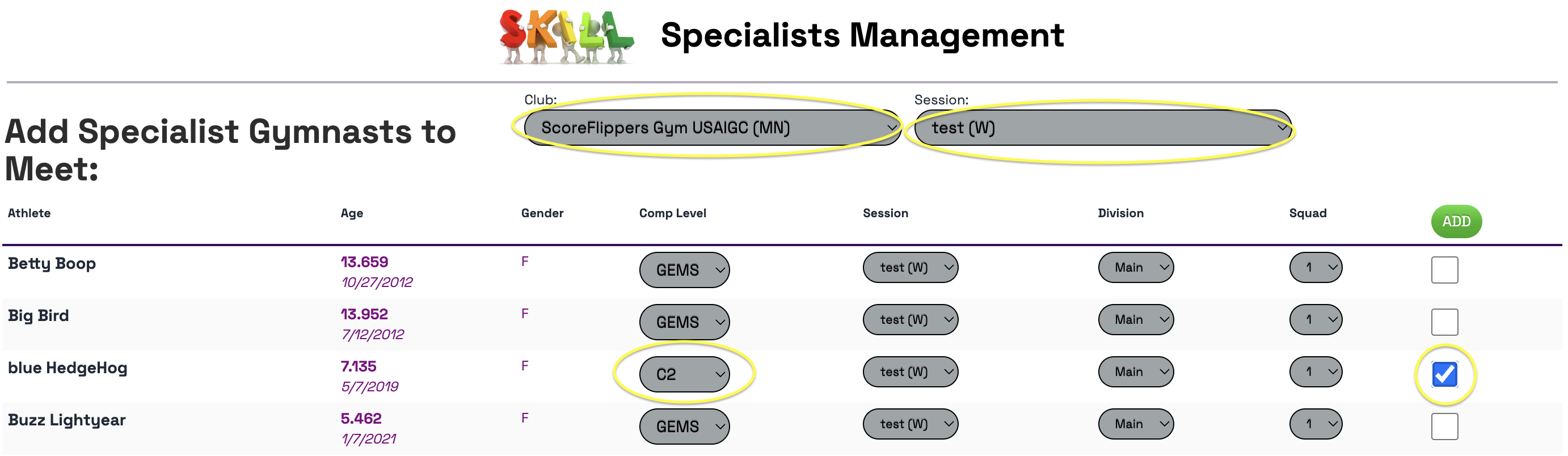
Step 5: Select the Club and the Session from the drop downs
Find your athlete on the list - select what level they will compete as a specialist - then click the checkbox - select ADD
Step
Was this article helpful?
That’s Great!
Thank you for your feedback
Sorry! We couldn't be helpful
Thank you for your feedback
Feedback sent
We appreciate your effort and will try to fix the article