Step 1: Look for SESSIONS on the top tab.

When you create the meet, one session is added by default.
Step 2: Using the Add New Session tool, enter the name of the session, the gymnastics type, the date, times and location. Select ADD NEW SESSION TO THE MEET. You will continue this until all sessions are created.
Special Notes about the Sessions Screens.
- click the edit button to the left of the session name to make edits within that session
- Edit Division (Age Group)names
- Edit Squad names
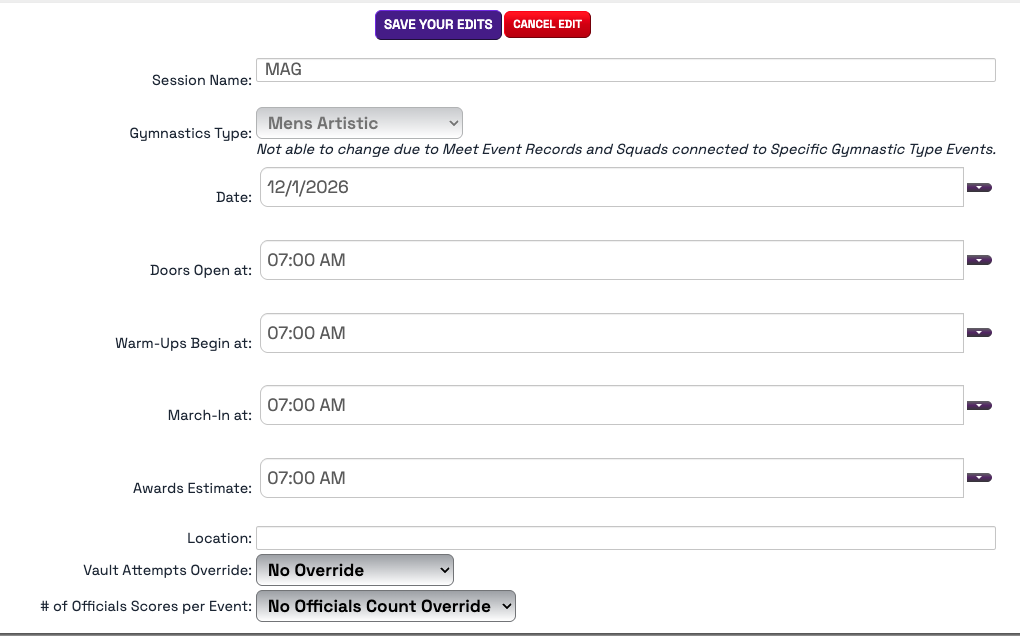
- Click EDIT SESSION DETAILS to make edits to the session name, the date of the meet (or session date), times of the session, the location and most importantly - you can override the number of Vault Attempts for that session and also the number of officials per event, per session.
Was this article helpful?
That’s Great!
Thank you for your feedback
Sorry! We couldn't be helpful
Thank you for your feedback
Feedback sent
We appreciate your effort and will try to fix the article