Inside your meet in Scoring Control, you have a handful of tools to help you manage your meet and athlete's. The Manage Athletes page gives you an overview of it all.
Select a Club and a Session from the drop downs to view the tool.
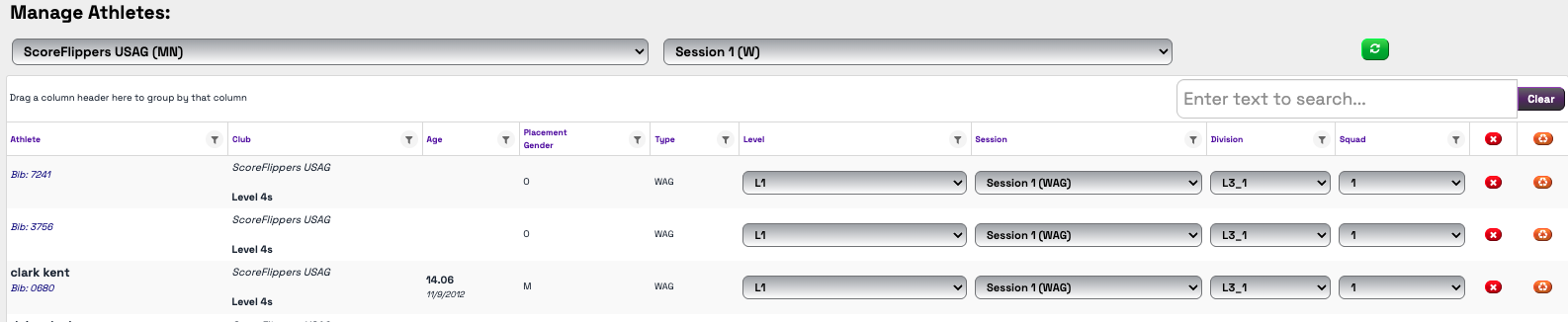
The columns on the top are dynamic.
- Click on the NAME of the column, it will sort that column in Alphabetical or Number order.
- Click the Filter Icon in the column header and you can filter by specific teams, levels, ages, etc.
- Using the drop downs, you can make a quick change to an athletes Level, Session, Division, or Squad
- the red X will remove the athlete from the meet
- the orange button is a SYNC button. This will reach out to the club and athlete record and update anything that has changed in the database.
Was this article helpful?
That’s Great!
Thank you for your feedback
Sorry! We couldn't be helpful
Thank you for your feedback
Feedback sent
We appreciate your effort and will try to fix the article