The check in tool can be used to track your athletes, coaches, and clubs checking in.
From the Dashboard of your EVENT, look for the side menu and find CHECK-IN.
For manual check-in:
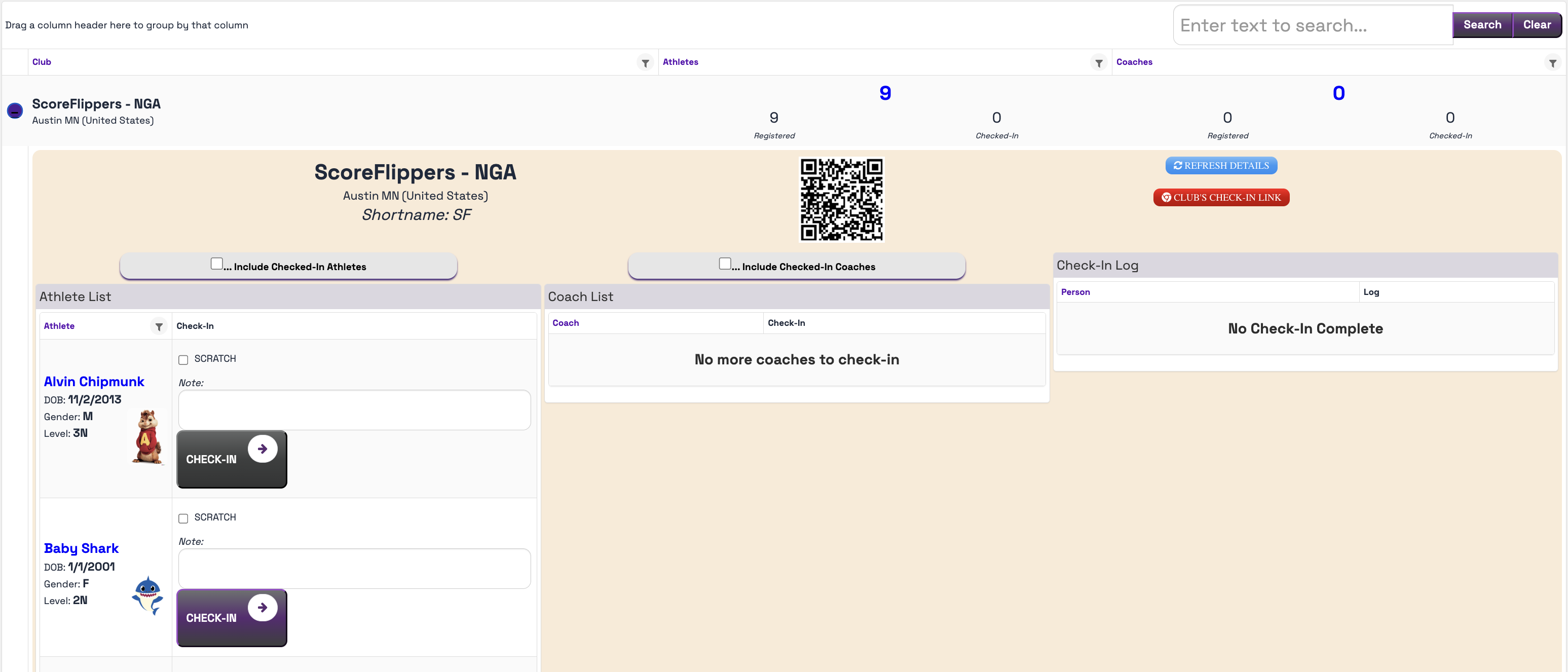
- You can search and check them in by club.
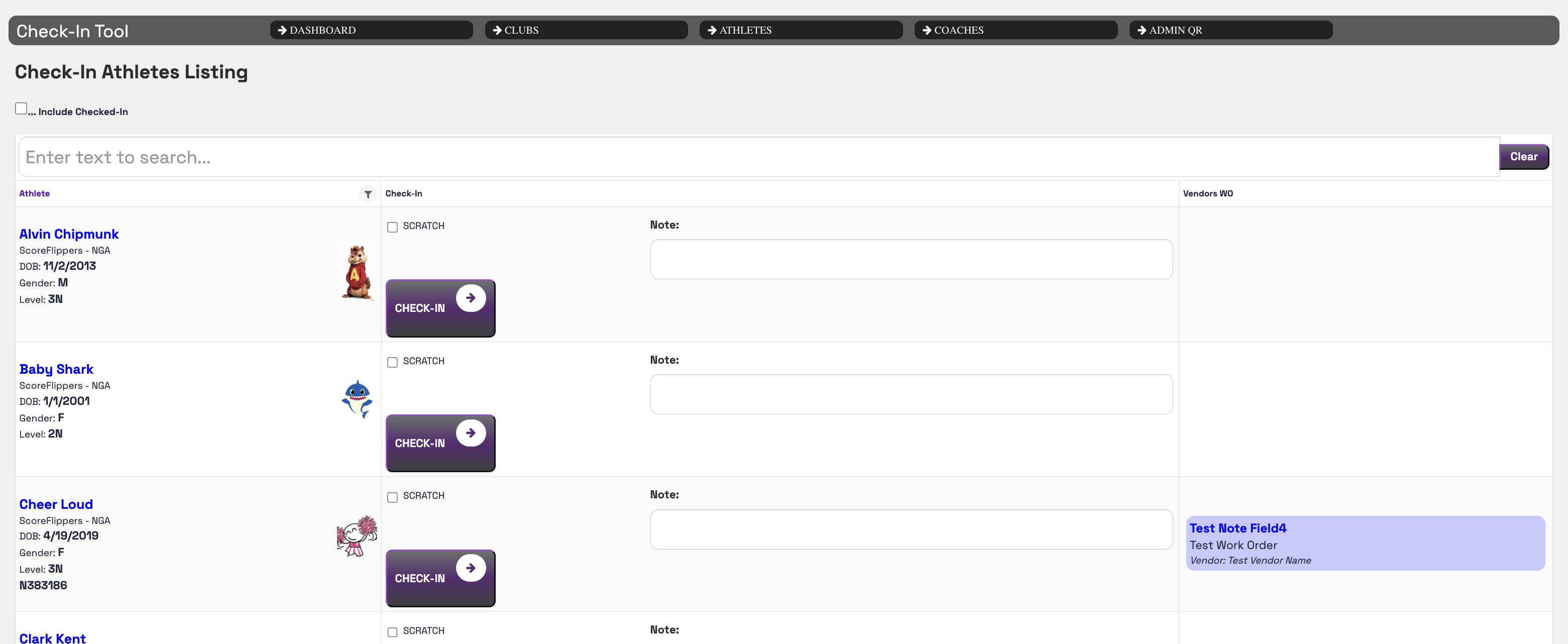
- You can search by Athlete first name alphabetically or coach first name alphabetically.
Or you can use the Admin QR code:
- the QR code allows coaches to check themselves and their athletes in themselves -saves you time!
Was this article helpful?
That’s Great!
Thank you for your feedback
Sorry! We couldn't be helpful
Thank you for your feedback
Feedback sent
We appreciate your effort and will try to fix the article